
BleAlarm1.3.0 - Get APK
You'll be able to download in few seconds.
Publisher Description
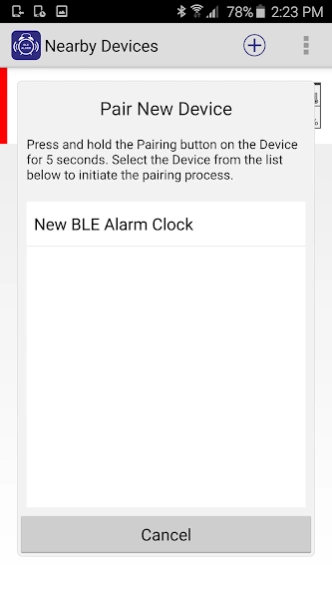
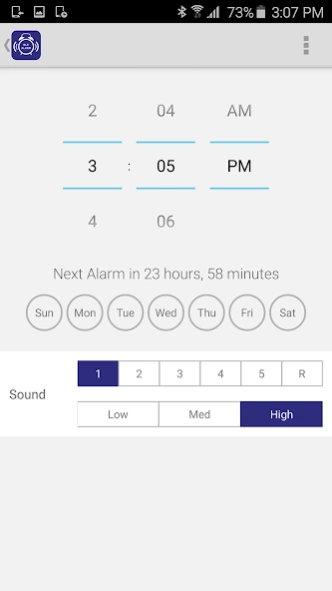
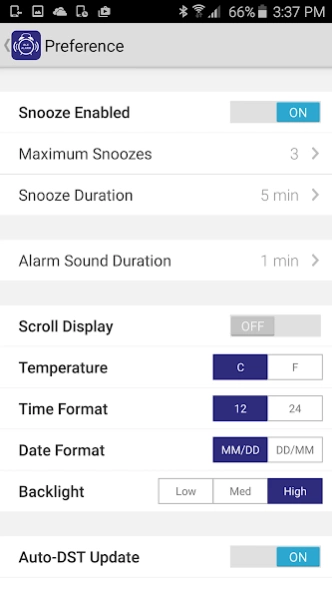
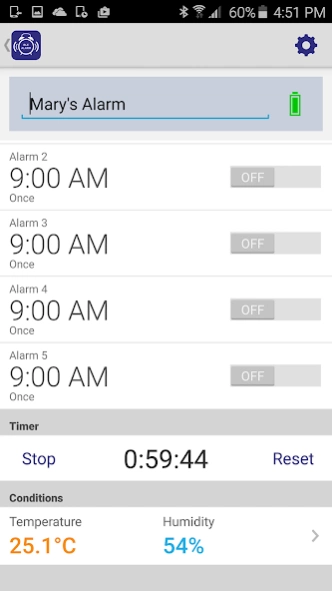
BLEAlarm is the most advanced and flexible way of alarm time management
BLEAlarm is the best solution for those who want most advanced and flexible way of alarm time management. This app works seamlessly with hardware – BLE Alarm Cube, BLE Vibration Alarm and BLE Alarm Clock is available at your local retailers. It utilizes Bluetooth 4.0 technology which allows alarm settings in your most personal preference by user friendly interface on your mobile devices.
The App and the Hardware doesn’t just enhance your operation experience compared with traditional alarm clock but also makes multiple alarms management remotely by a single person simple and easy.
Features
- Multiple alarms setting remotely through tour mobile App
- Auto time synchronization with your mobile with DST switching where applicable
- Hardware runs independently even without Bluetooth connection
- Set up alarm by individual weekday / weekend / once / duration of snooze / sound duration / tone / sound level
- Energy saving using Bluetooth 4.0 technology
- Battery status of connected unit with low level alert
- Set count down tier
- Loud alarm sound (Available on BLE Alarm Cube only)
- Vibration alarm (Available on BLE Vibration Alarm only)
- Current temperature and humidity with historical chart (Available on BLE Alarm Clock only)
- Scrolling display (Available on BLE Alarm only
- Adjustable backlight (Available Alarm Clock only)
About BleAlarm
The company that develops BleAlarm is PC Partner Ltd.. The latest version released by its developer is 1.3.0.
To install BleAlarm on your Android device, just click the green Continue To App button above to start the installation process. The app is listed on our website since 2017-07-17 and was downloaded 0 times. We have already checked if the download link is safe, however for your own protection we recommend that you scan the downloaded app with your antivirus. Your antivirus may detect the BleAlarm as malware as malware if the download link to com.celaer.android.alarmbox is broken.
How to install BleAlarm on your Android device:
- Click on the Continue To App button on our website. This will redirect you to Google Play.
- Once the BleAlarm is shown in the Google Play listing of your Android device, you can start its download and installation. Tap on the Install button located below the search bar and to the right of the app icon.
- A pop-up window with the permissions required by BleAlarm will be shown. Click on Accept to continue the process.
- BleAlarm will be downloaded onto your device, displaying a progress. Once the download completes, the installation will start and you'll get a notification after the installation is finished.
Program Details
System requirements
Download information
Pricing
Version History
version 1.3.0
posted on 2017-07-17
. Minor bug fix
version 1.1.5
posted on 2016-08-04
•Japanese language update
Disclaimer
External Download
We do not host BleAlarm on our servers. We did not scan it for viruses, adware, spyware or other type of malware. This app is hosted by Galad and passed their terms and conditions to be listed there. We recommend caution when installing it.
The APK Download link for BleAlarm is provided to you by apps112.com without any warranties, representations or guarantees of any kind, so access it at your own risk.
If you have questions regarding this particular app contact the publisher directly. For questions about the functionalities of apps112.com contact us.
